Skip to content

Why Is Roundcube Search Slow?

Roundcube’s Entire message search includes email contents, so it can take longer in folders containing many messages. Search speed also depends on message size, server workload and search indexing. There is no fixed email count at which searches become slow.

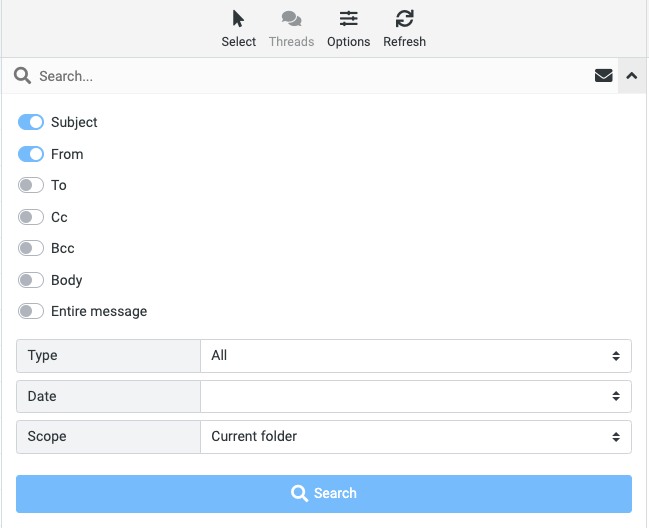
1. Narrow Your Search

  1. Open the folder most likely to contain the email.
  2. Open the search options beside the search box.
  3. Select Subject or From and deselect Entire message.
  4. Choose Current folder and add a date filter if available.

Use Entire message when you need to find words inside the email body. Labels may vary by Roundcube version.

Roundcube search settings with Subject and From enabled, Entire message disabled, and Scope set to Current folder.
Example: tick Subject and From, untick Entire message, and select Current folder.

2. Organise Older Emails

Under Settings → Folders, create yearly folders such as 2025 and 2024. Select emails from each year, then use Move to to place them in the matching folder.

Move large collections in smaller batches and confirm each batch arrived. Search the relevant folder instead of All folders when possible.

Important

Moving messages between server folders does not reduce mailbox storage usage. Keep important emails according to your organisation’s retention requirements.

If searches remain unusually slow, contact support with the folder name, selected search options, search time and any error message. Never share your password.